
Follows the real sun
Your display shifts with sunrise, sunset, and twilight where you are. Not a fixed timer that feels wrong half the year.
Just released: v1.3.0 See what's new
A free Mac app that follows the real sun. Pro adds advanced automation for complex setups.
No account. No card. No tracking. About 4.7 MB.
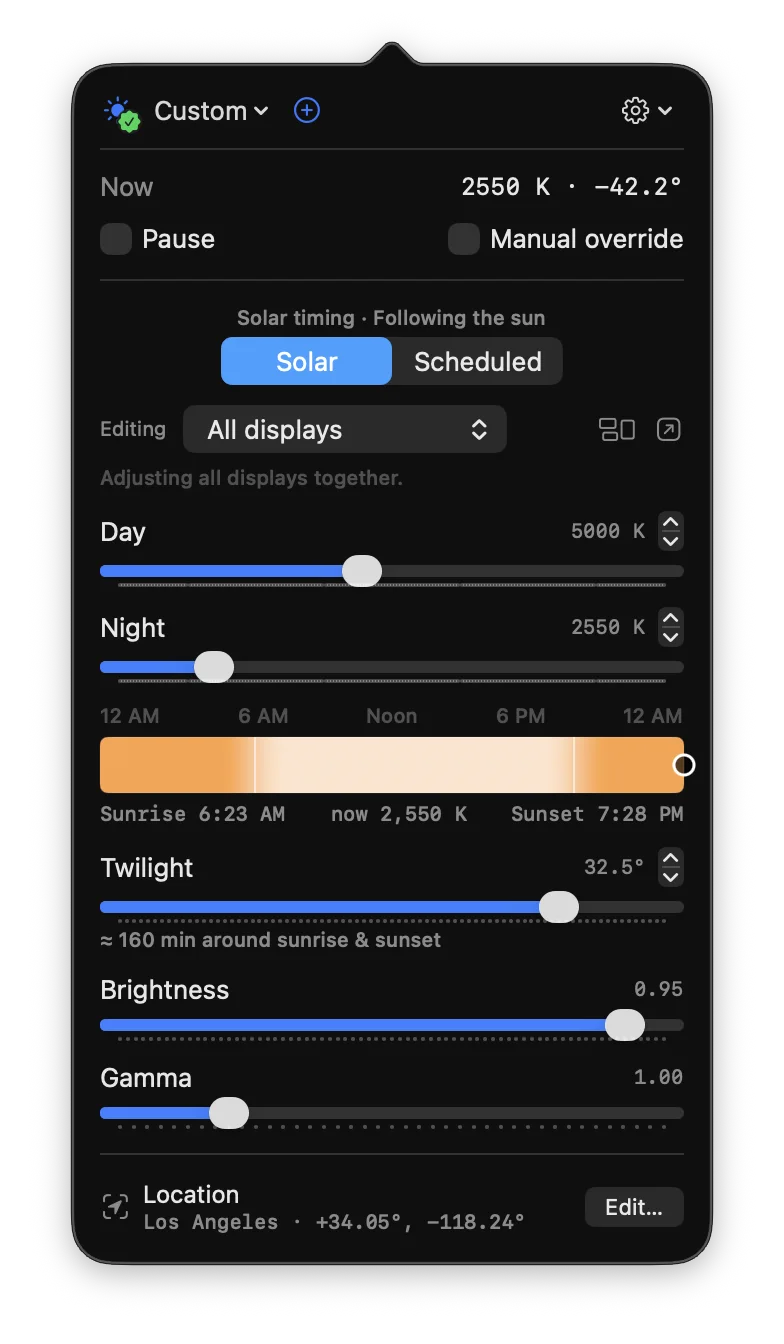
Inside the app
Current color, sun position, next transition, and the sliders you actually use. Most people never need another window.
Free, forever
The popover is the whole free app. Follow the real sun, tune your display, pause for accurate color, and keep your location private. No account or upgrade required.
Your display shifts with sunrise, sunset, and twilight where you are. Not a fixed timer that feels wrong half the year.
Choose the color you like during the day, the warmth you want at night, and how gradual twilight should feel.
Pause warming instantly when you need accurate color, or pin a temporary override until later.
Start with Neutral, Classic Night Shift, or Candlelight. Adjust once, or never touch the settings again.
Use macOS Location Services or type coordinates by hand. Either way, your location stays on this Mac.
Open the popover to see the current color, sun position, next transition, and the controls you actually need.
Built for better evenings at the Mac.
Late-night screen light can make it harder to wind down. Screen Mercy was built for people who want stronger, smoother dimming than macOS offers by default, so the display can feel calm instead of glaring when the room gets dark.
The idea is simple: reduce bright, blue-heavy light in the evening to support your natural sleep routine, then come back fresher the next day. Less visual irritation and a softer screen can also make focused work feel easier, especially during long sessions.
Screen Mercy gives you precise control over warmth, brightness, gamma, transitions, solar timing, hotkeys, and profiles. It is practical, private, and built to disappear into your workflow.
Try the free download if your Mac still feels too bright at night. No account, no tracking, and no pressure to change how you work.
How it works
Screen Mercy turns display warmth into a smooth daily curve instead of another schedule you have to manage.
Pick the display color you want during the day and the warmer color you prefer at night.
The app calculates sunrise, sunset, and twilight for your location and moves smoothly between your settings.
Pause when you need accurate color, use a temporary override, or upgrade to Pro for app and display automation.
Why it feels better
Most display warmth tools run on a clock. Screen Mercy follows the actual sky at your latitude, so winter evenings warm earlier, summer evenings stay clear longer, and travel does not require rebuilding your settings.
Altitude → Kelvin, today
Your display gradually moves between the colors you choose. The exact curve changes with your location and the day of the year.
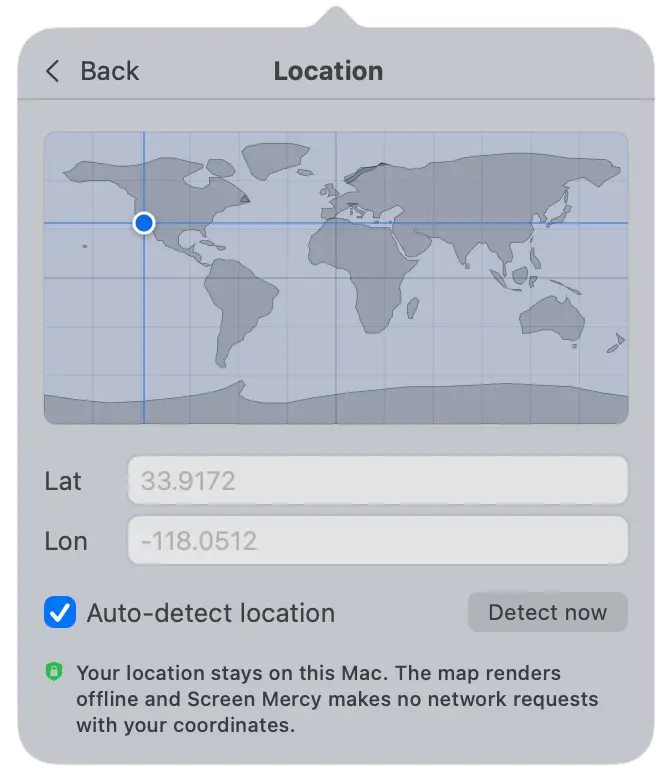
Private location
Screen Mercy needs coordinates to know when daylight changes where you are. You can use macOS Location Services or type latitude and longitude yourself. Either way, the app does the calculation locally.
Performance by design
Screen Mercy is a single native macOS binary, not a browser in a trench coat. It does its thinking in well under a millisecond, a few times a minute, then goes back to sleep. You will never feel it running.
Sub-millisecond
Each decision runs in well under a millisecond, a few times a minute.
Effectively 0% CPU
At steady state it sips, it doesn't chew. You can leave it running all day.
Zero network
The solar math runs on-device. Your location never leaves the Mac.
A few megabytes
Native macOS, no Electron, no heavyweight runtime to load.
It only touches your displays when something actually needs to change.
Warmth shifts are a smooth third-of-a-second fade, then it goes back to sleep.
Wakes up with your Mac, re-applies instantly, then gets out of the way.
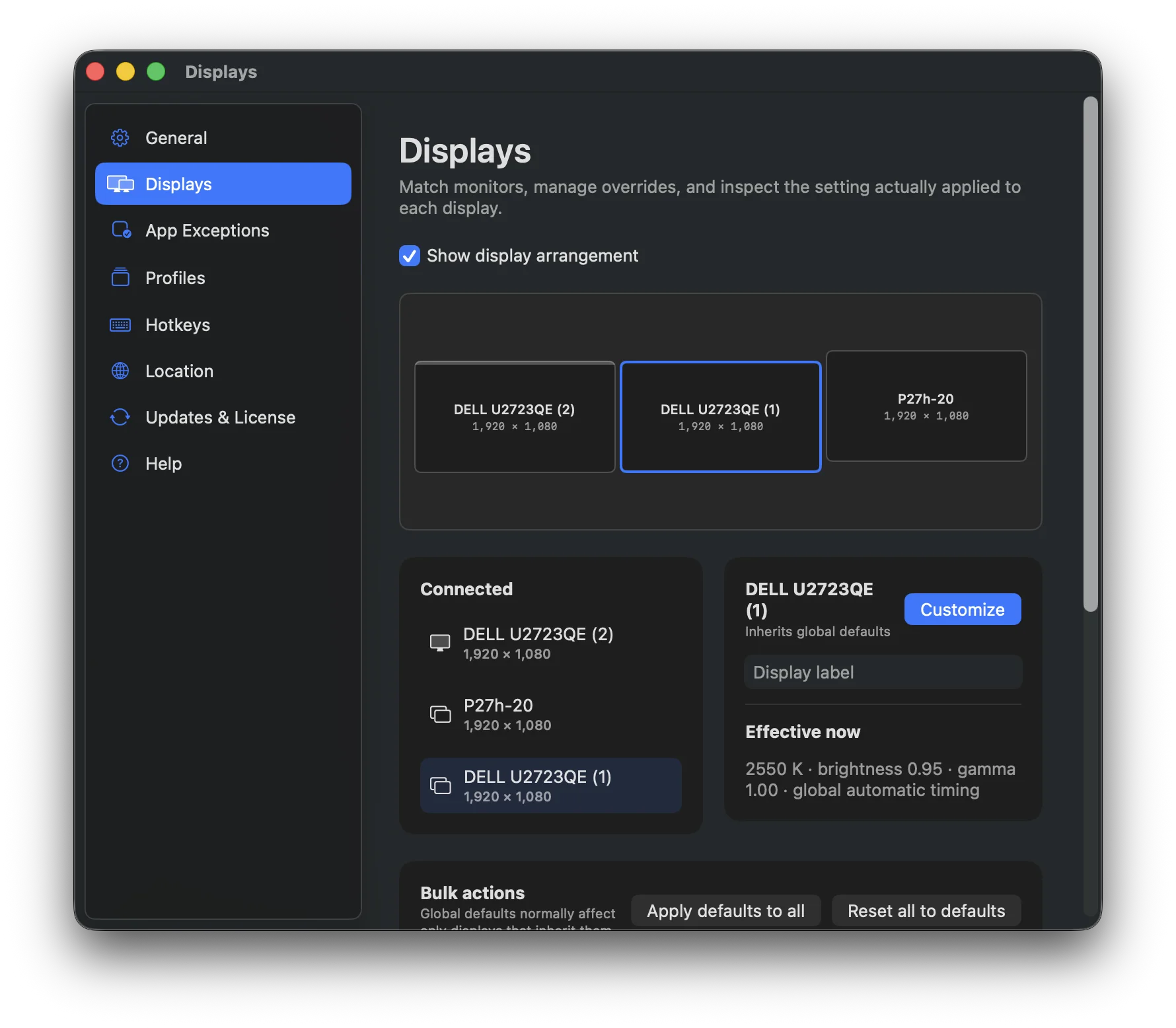
Scales cleanly across a multi-monitor rig, with each screen handled independently.
Pro · one payment
Pro is for multi-monitor workspaces, color-sensitive apps, keyboard-driven workflows, and anyone who wants Screen Mercy to adapt to what they are doing.
Different behavior per display.
Automatic app exceptions.
Hotkeys for common actions.
Profiles for every context.
Screen Mercy Pro
Most screen apps: $3 to $5 every month, forever.
$29USD once
Under a penny a day across five years of updates.
One payment. No subscription, ever. Five years of updates, then keep the version you bought.
60-day money-back guarantee. Email us, no questions.
Per display
Day, night, twilight, brightness, and gamma, independently. No more one setting that is wrong on half the desk.
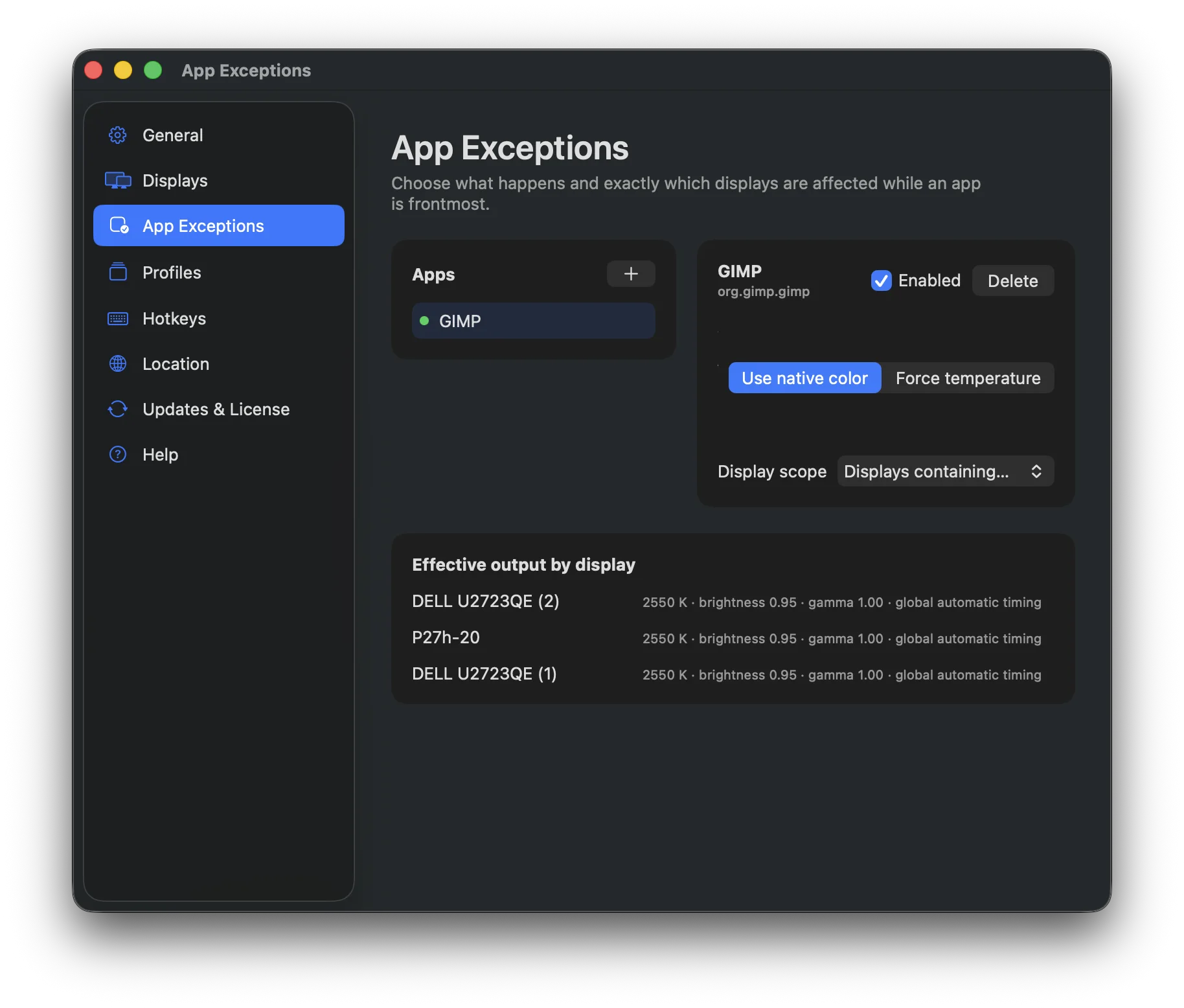
App exceptions
Keep Photoshop and Lightroom at true color while the rest of the desk stays warm. Scope a rule to the display where that app is running.
Give each monitor its own day, night, twilight, brightness, and gamma settings.
Return to true color for design apps, warm up for reading apps, or change profiles when specific apps are active.
Apply an app rule only to the display where that app is running, while the rest of your setup stays unchanged.
Pause, switch profiles, or nudge warmer and cooler without opening the menu.
Keep separate setups for coding, movies, reading, travel, or any display environment you use often.
Pay once for Pro, get five years of updates, then keep using the version you bought.
Privacy, stated plainly
No outbound network requests from the core display app.
No account, no sign-in, no email to use the app.
No analytics SDK. No telemetry. No remote feature flags.
Stays offline & private after a one-time Pro activation.
All the solar math runs on your Mac. Your location is math input, not data.
Recurring network is limited to optional update checks against our signed manifest.
Free edition is truly free. No ads, fully functional screen warmth and monitor adjustment settings. Privacy & performance built in.
Upgrade when your setup needs per-app rules, customizable hotkeys, and advanced profiles.
60-day money-back guarantee on Pro, but we know you won't want it. Easy & instant refunds via our online dashboard.
No account. No card. No tracking. About 4.7 MB.
What it helps with
Screen Mercy is not just a sunset filter. It is a private display comfort system for blue-light concerns, late work, travel, sensitive eyes, and serious multi-monitor setups.
Choose a warmer night color and let Screen Mercy fade your display away from blue-heavy daylight tones as sunset approaches.
Tune warmth, brightness, and gamma until the screen feels less intense during the long stretches when you cannot simply look away.
Night Shift is limited to a basic schedule and a narrow warmth range. Screen Mercy gives you separate day and night targets, smoother transitions, deeper tuning, pause, overrides, and real solar timing.
Winter evenings, summer nights, and new time zones all change when your screen should soften. Screen Mercy follows proper solar calculations instead of a fixed clock.
Use auto-detect when you want travel convenience, or type coordinates manually and keep permissions off. The display logic works offline either way.
Some screens feel harsh even when dimmed. Screen Mercy lets you combine warmth, brightness, gamma, and transition smoothness into one comfortable setup.
With Pro, app-specific exceptions can disable warming on the monitor where a color-sensitive app is focused, while your other displays stay comfortable.
For Teams
ScreenMercy deploys fleet-wide in minutes, with volume pricing.
FAQ
If we missed one, write to support@screenmercy.com.
It adjusts your Mac display color through the day so your screen feels clearer in daylight and easier on your eyes after sunset.
A fixed schedule cannot account for season, latitude, travel, or twilight. Screen Mercy follows the sun at your actual location, then moves smoothly through the day.
Yes. Turn Night Shift off and let Screen Mercy handle display warmth so the two systems are not competing.
Yes. The free app works with multiple displays. Pro adds per-display profiles and app rules for more complex setups.
No. It is a single native binary that makes a sub-millisecond decision a few times a minute, then rests. Steady-state CPU is effectively zero, and it only touches your displays when the color actually needs to change.
No. Location is used locally for solar math. Coordinates stay on your Mac.
You can type your coordinates manually and never grant location permission.
Yes. One click pauses warming and returns to true color. Pro can do this automatically for apps like Photoshop, Lightroom, or any app you choose.
No. Pro is one payment with five years of updates, then the version you bought is yours to keep using.
Yes. macOS 13 Ventura or later, Apple Silicon or Intel.